
How to set up B2B attribution tracking
Library > Setting Up Attribution Tracking
Written by Alexandra Flygare
Published on 19 October 2026
TL;DR: Set up B2B attribution tracking by defining the pipeline outcomes you want to measure, installing and testing website tracking, and connecting your CRM and campaign sources.
Check that activity links to the right accounts, then configure stages and attribution models. Use a familiar campaign to validate the setup before making budget decisions from the reports.
Make campaign performance easier to explain
You need to know what happens after a click or form submission: which accounts become opportunities, what those deals are worth, and which activities appear along the way. Reliable tracking connects those records so you can inspect the journey behind a campaign result.
This guide takes you from the first setup decisions to a report you can check against your CRM.
Gather the access and owners
Access to your website or tag manager to deploy tracking.
An owner who can authorize access to your CRM and relevant marketing automation tools.
Access to the ad accounts you want to measure, using the permissions required by each integration.
A written UTM standard (or agreement to adopt one before launching new campaigns).
A named owner for tracking and campaign naming, usually marketing operations or RevOps.
Reliable account and opportunity relationships, plus the stage, value, and date fields needed for your selected outcomes.
Keep a short record of coverage gaps, such as unlogged event conversations or visits collected before tracking was installed. Customer interviews and self-reported answers can add context when those interactions matter to a decision.
1. Choose the outcomes and reporting rules
Start with one upcoming decision, such as whether to repeat a webinar series or increase a paid campaign's budget. Agree on the outcome that will inform it.
This gives your tracking work a clear purpose and helps you prioritize the records you need.
Write a short measurement plan
List the questions: which channels contribute to qualified pipeline, which campaigns reach suitable accounts, and how those accounts progress.
Choose the outcomes. Opportunity creation and closed-won are useful starting points when the CRM definitions are reliable.
Pick 1–2 models to start (for example, one multi-touch model plus one single-touch reference model). Document who uses which and why.
Define what counts as a touch (web session, ad click, email click, form fill, event attendance) and what you exclude (internal traffic, test accounts, employees).
Choose the detail needed for the decision. Channel reporting can be useful before every campaign label is consistent; campaign comparisons need recognizable campaign identifiers.
Plan for a buying group
One person may first discover your company through an ad while a colleague later attends a webinar and requests a demo. Your tracking should help connect those recorded activities to the same company.
Dreamdata's account-based data model provides the foundation for automated collection and attribution across that journey.
Start with the stages your team already uses consistently. Add more when their definitions are clear and their records are available, so each extra report answers a useful question.
2. Install and test website tracking
Website tracking collects visits and events from setup onward. Earlier recorded activity can become more useful when a visitor is identified and connected to a contact or company.
Test that connection with a familiar journey so you understand the coverage before reading the attribution results.
Cover the relevant domains
Install Dreamdata's tracking script using the supported tag-manager or website implementation for your setup.
Check that it loads on the public pages you intend to measure, including campaign landing pages.
Review the relevant domains and subdomains, including the main website, blog, and separate landing-page domains.
Document what’s excluded (staging, internal tools, app subdomain) and why.
Test the full journey
Use browser developer tools to check that tracking requests fire, then confirm the expected events appear in Dreamdata after processing.
Open a tagged campaign link, navigate to the conversion page, and check that the source and campaign are recorded correctly. The UTM parameters do not need to remain visible in every URL.
Test a fresh browser session and the consent states supported by your site's setup. Confirm the observed behavior matches the intended configuration.
Record any gaps your campaign team needs to consider when comparing reports.
Choose meaningful website events
Pick events you can implement consistently (for example: demo request, contact form submit, webinar registration, signup, a pricing-page key action).
Test that the tracking event appears once. Separately check whether the form or marketing workflow creates the expected CRM record; installing tracking does not itself create every CRM connection.
Keep the list small until you’ve validated consistency across campaigns and pages.
For example, submit a demo request from a tagged email link. Check the campaign label, event timestamp, contact, and company, then inspect the later opportunity when it exists.
This end-to-end check is more useful than seeing the script load on a page.
3. Connect the CRM and campaign sources
Connect the sources needed for your first report, then inspect how their records fit together. A successful connection confirms access; the account-level checks tell you whether the data is ready to support a marketing decision.
Start with the sources for your question
CRM first: accounts, contacts, opportunities, stages, amounts, close dates.
Marketing automation: the relevant email, form, and campaign activity supported by the connector.
Ad platforms: campaign metadata and costs for the paid activity you want to assess.
Check the outcome records
Accounts, contacts, and opportunities are present and linked correctly.
The opportunities included in your report have the value and date fields required by the chosen stage.
Quantify missing fields and identify which decisions they could distort. A few missing large deals can matter more than many low-value records; assign fixes accordingly.
Avoid duplicate activity
If the CRM and marketing automation platform contain the same activity, define which record represents it in your measurement setup.
Align campaign identifiers and naming so the same activity isn’t counted twice.
Review a sample of known accounts
Choose familiar closed-won and open opportunities, including an account with several contacts.
Confirm that the expected people and their recorded activities appear under the right company.
Check that known web, campaign, and offline activity appears on the correct dates, including relevant activity before opportunity creation.
Investigate mismatches involving missing domains, personal email addresses, subsidiaries, or multiple opportunities. Assign an owner to each fix.
Use Dreamdata's Customer Journeys to inspect these records. When a familiar account looks wrong, fix the matching or source data before interpreting its campaign contribution.
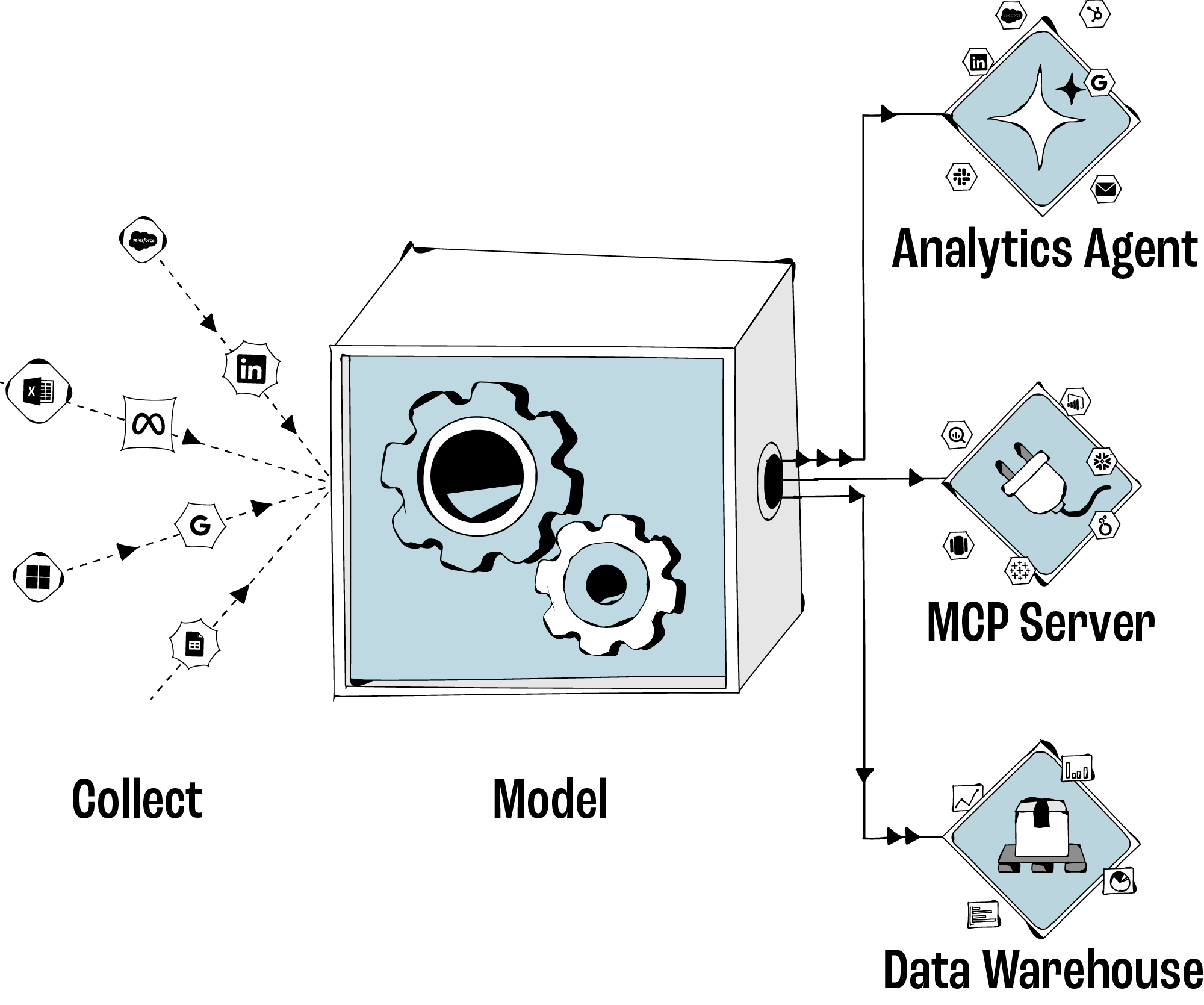
4. Configure stage models and attribution
Stage models define which records represent an outcome, when it happened, and what value it carries.
For example, a qualified-opportunity stage needs the correct CRM criteria and date. That lets you compare marketing contribution to a business milestone the sales team recognizes.
Define the outcomes in Data Hub
List your CRM opportunity stages.
Choose the stages you agreed to measure, such as qualified opportunity and closed-won.
Configure the corresponding stage models in Dreamdata's Data Hub, using the relevant source objects and filters.
Check the event date, value, currency, and account relationship. Preview the selected records and compare them with the CRM.
Compare models on a familiar deal
Apply the attribution models chosen in your measurement plan to the selected outcome.
Pick a known deal and inspect the eligible touchpoints before that outcome. Check campaign labels and explain how the model distributes credit.
Exclude internal traffic, employee domains, and test opportunities.
If a report looks wrong, inspect its stage, dates, filters, and eligible touchpoints first. A marketing-only view can show part of a deal's credit, so compare the same scope when reconciling values.
5. Keep campaign tags consistent
Consistent campaign tags help you recognize which activity belongs together. Missing labels can also reflect untagged links, unavailable identifiers, or other tracking gaps.
Investigate the source of an unknown value before assigning it to a channel.
Publish a simple UTM convention
Use consistent utm_source, utm_medium, and utm_campaign values. Add utm_content or utm_term when they answer a useful reporting question.
Provide a worked example: utm_source=newsletter, utm_medium=email, and utm_campaign=attribution_webinar for an email promoting the webinar.
Check tags on the campaign links your team controls. Avoid adding campaign UTMs to internal website navigation, which can confuse the original acquisition source.
Make campaign names recognizable
Choose a naming pattern with the information your reports need, such as offer, region, and audience. Keep casing and separators consistent.
Define how cross-channel campaigns are named so reporting stays consistent.
Check tags before launch and review gaps monthly
Add to every campaign brief: UTMs present, landing page tracked, CRM campaign mapping decided.
Monthly: review top unknown sources and fix them at the source (ads, email templates, partner links).
Keep one owner accountable for taxonomy changes.
In Dreamdata's Data Hub, UTM mapping rules can help classify campaign traffic consistently. Check the resulting groups against actual campaign links. Use the cleaned labels to compare campaigns whose costs, outcomes, and measurement windows match.
6. Use the data in audience and conversion syncs
Once you have checked the account matches and stage definitions, put them to work in a campaign. Start with one audience or conversion use case, and verify the destination receives what you expect.
Choose a useful audience
Suitable target accounts with relevant website or campaign engagement.
Open opportunities where supporting content fits the sales team's approach.
Customer or open-opportunity exclusions when the campaign is intended for new prospects.
Choose a pipeline conversion
Select a meaningful outcome, such as qualified opportunity or closed-won, using the stage definition you have checked.
Avoid using soft events as primary optimization signals until validated against pipeline stages.
Check delivery and data quality
Confirm platform-side conversion acceptance and deduplication behavior.
Review audience size and platform matching results against the companies or people you intended to include. Check the selected destination's requirements.
Before using pipeline events for bidding, check the platform's requirements, available event volume, and conversion delay. Choose the optimization setup with the paid team and monitor downstream quality.
Marketing owns the audience and campaign decision. Marketing operations or RevOps monitors the definitions and sync health.
Dreamdata's Audience Hub and conversion syncs help carry the checked go-to-market data into supported ad platforms.
Keep the setup reliable
Monthly: review unknown sources, account-matching issues, and changes to stages or campaign naming.
Quarterly: revisit familiar accounts and confirm that the expected website, campaign, and CRM records still connect.
When adding a domain, channel, or stage, test its tracking and mapping before using the results in a wider budget decision.
Validate your first campaign
Agree on its outcome, reporting window, and attribution model.
Test the tagged landing page and conversion event, then check the contact and account connection.
Connect the relevant sources and inspect a sample of account journeys.
Preview the stage records and check one familiar deal before sharing the report.
Choose one campaign action from the results, and verify any audience or conversion sync used to execute it.
Dreamdata's B2B attribution connects marketing activity to pipeline and revenue. Validate a campaign with your own data, inspect the accounts behind its results, and use the report to explain your next investment decision.