
#dreamdatarecipes
Getting Started with the Dreamdata Analytics Agent

Dreamdata's senior account executive, Ines Ben Farhat, shows you how you can ask our Analytics Agent inside our platform about ad campaign performance and get a fast and verifiable answer every time.
Supplementary Guide
You can follow these steps to recreate the walkthrough yourself and watch the video above for full context and more examples.
Get started with Analytics Agent
Your go-to-market data is usually siloed across your tech stack, making it hard to tell which ad campaigns actually drive pipeline and revenue versus which ones just fill the funnel with leads that never convert.
The Dreamdata Analytics Agent pulls everything into one place, organized by account and tied to revenue, so you can ask a plain-language question and trust the answer without choosing between speed and accuracy.
Step 1: Ask the Analytics Agent your question
Go to Analytics Hub, where the Analytics Agent lives.
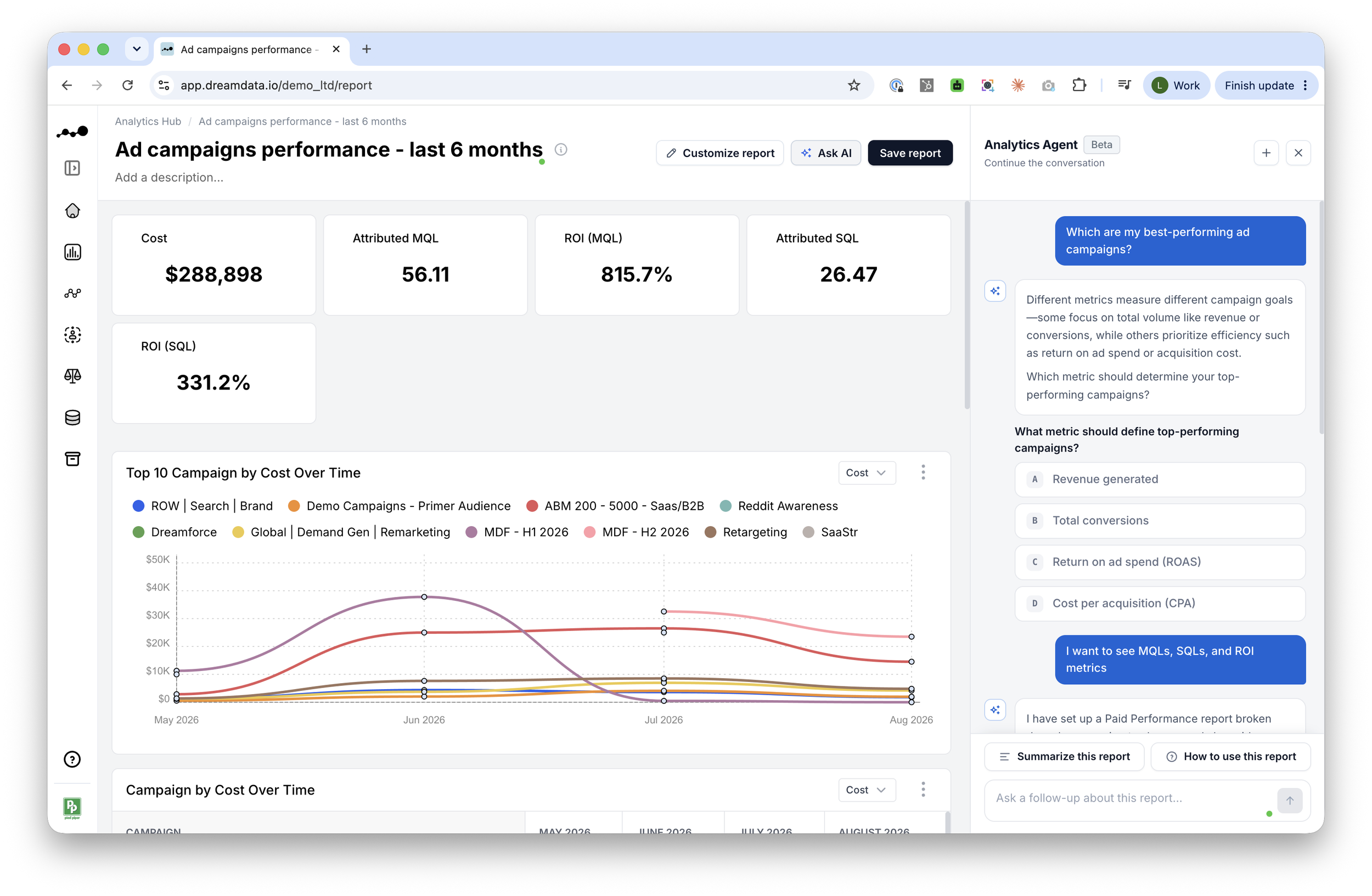
Type your question in natural language, for example: "Which are my best-performing ad campaigns?"
If the question is ambiguous (for example, what "best-performing" means), the agent will ask a clarifying follow-up question rather than assume a definition.
This gives you control of what is being measured.
You can refine your report by asking the agent to change the date range (e.g. "past six months") and metrics (e.g. influenced MQLs/SQLs) as needed.
Step 2: Verify and dig into the numbers
You never have to just take the agent's word for it. You can open the same report configurator you'd use to build a report yourself and verify what the report was built on.
Click on “Show how this report was configured” to check the metrics, filters, date range, and attribution model behind every answer.
Once you are satisfied with the report, save it and give it a name.
Compare ROI across funnel stages (MQLs vs. SQLs) for the same campaign.
Click into any metric to see the deals and customer journeys behind it, tracing a number back to the exact accounts and contacts involved.
Step 3: Use the Dreamdata MCP server inside your preferred LLM
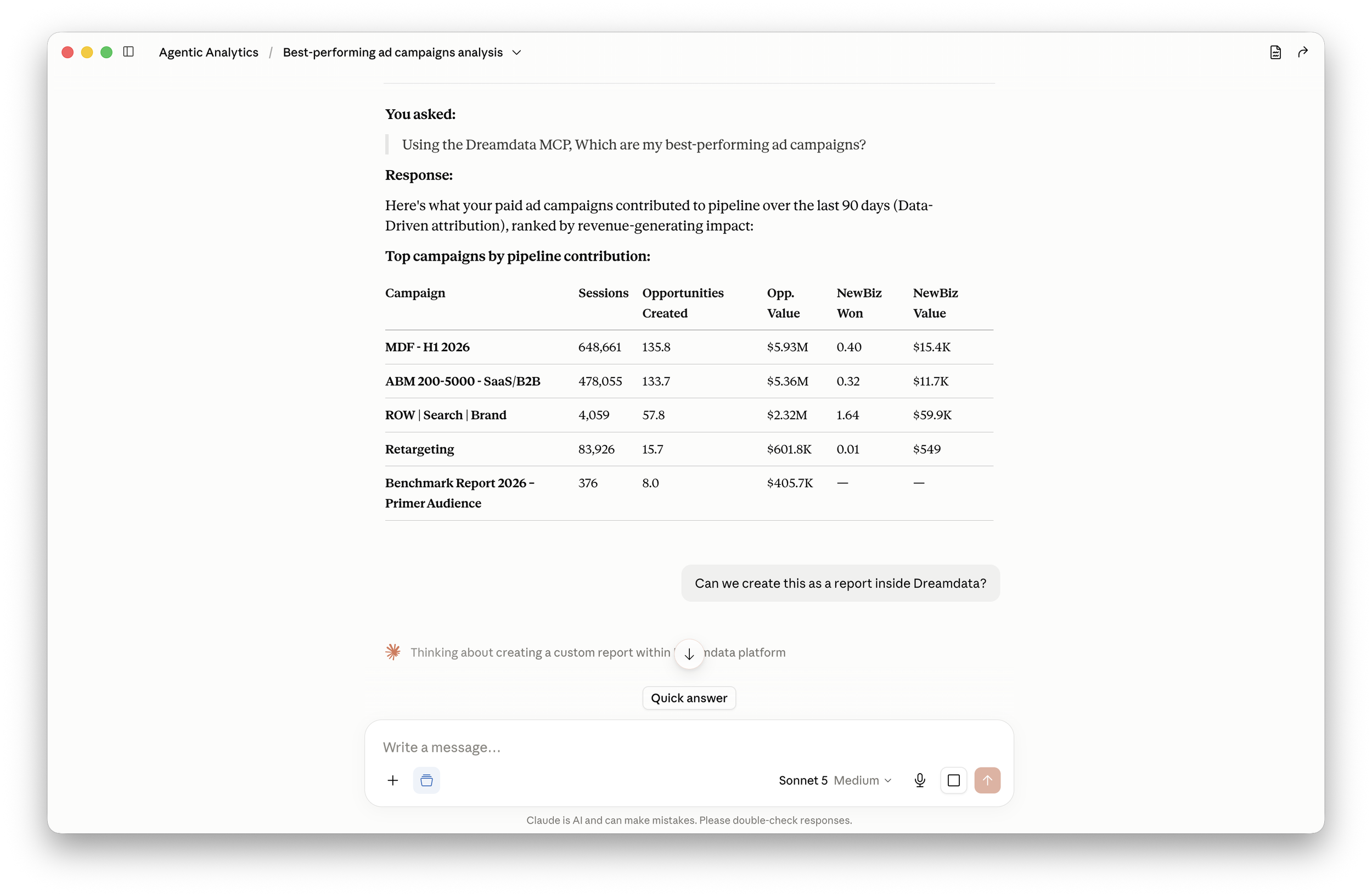
If your team already works inside an LLM such as Claude, you can bring the same questions there too, whether alongside the Analytics Agent or on its own.
We can ask the exact same question we asked the agent and get the same answer: "Which are my best-performing ad campaigns?"
The Dreamdata MCP server gives LLMs access to Dreamdata's account-based data model and semantic layer used by the Analytics Agent.
If you want to build and save reports inside Dreamdata, you can do that directly from the LLM too.
You can then verify those reports the same way you would one built using the Analytics agent, by opening the configurator to check the metrics, filters, and attribution model.
Wrap up
Dreamdata's Analytics Agent and MCP Server allow you to ask any marketing performance question in plain English and get a straight answer on what to do next.
Dreamdata AI draws on the account-based data model, where every touchpoint is tied to an account and to revenue, giving it complete B2B GTM data to work with rather than raw, disconnected sources.
Our semantic layer keeps definitions and calculations consistent, so the answers hold up regardless of who's asking or how the question is phrased.
You can always verify every number by opening the report configurator to see the metrics, filters, date range, and attribution model it's built on.