
B2B marketers need to know what buyers are researching in LLMs, what content LLMs surface, and whether that traffic drives pipeline and revenue.
Dreamdata’s account executive Sam Malpiedi shows you how you can answer all three questions in minutes with our Analytics Agent.
Supplementary Guide
Follow the steps to recreate the analysis and watch the video for the full context and more examples.
Step 1: Ask the Analytics Agent
Start by finding where LLM traffic lands and what it influences.
Go to Dreamdata and ask your question; for this analysis it could be:
"Which pages did organic LLM traffic land on last year, and how many MQLs, SQLs, and NewBiz deals did each influence?"
The agent shows all relevant pipeline metrics and data so you can easily review the top-line metrics for the Organic LLM channel.
You’ll see the report broken down by content pieces surfaced the most by LLMs.
Each piece of content will show up in Dreamdata as its landing page URL.
I’m interested in the complete influence of LLMs, so I need to include influenced metrics in addition to the attributed ones.
And I need the information broken down by not just the URLs but also the LLM platform. So I’ll prompt the agent further: "Can you also add the influence value for each and break it down by which LLM?"

Dreamdata automatically categorizes traffic from LLMs into an ‘Organic LLM’ channel by default, so this data is already there and ready to report on.
And if you ever need to fine-tune your setup, say a new LLM shows up that we haven’t mapped yet, you can always set up your own custom mapping rules in the Data Hub under UTM Mappings.
Step 2: Refine the analysis
Now we can look into what actually drives pipeline and revenue, and here our agent is a great companion.
Get a quick overview of what the metrics are saying by clicking on ‘Summarize report’, the agent will provide a summary of the results and key findings.
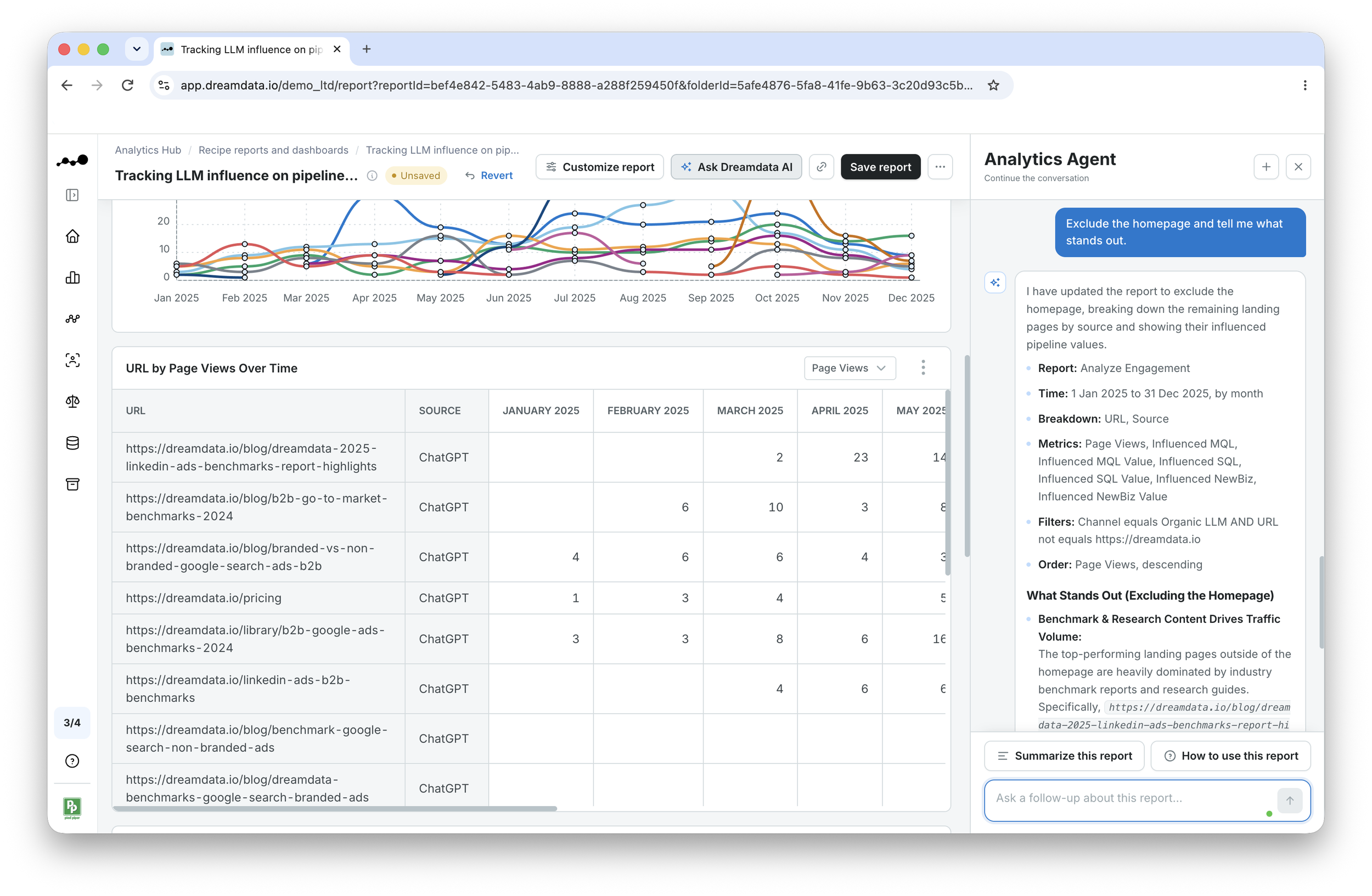
Your homepage will almost always get the most traffic, which is expected. But that says nothing about your content strategy, so we’ll filter it out.
Exclude it easily with this prompt: "Exclude the homepage and tell me what stands out."
Step 3: Identify top-performing content
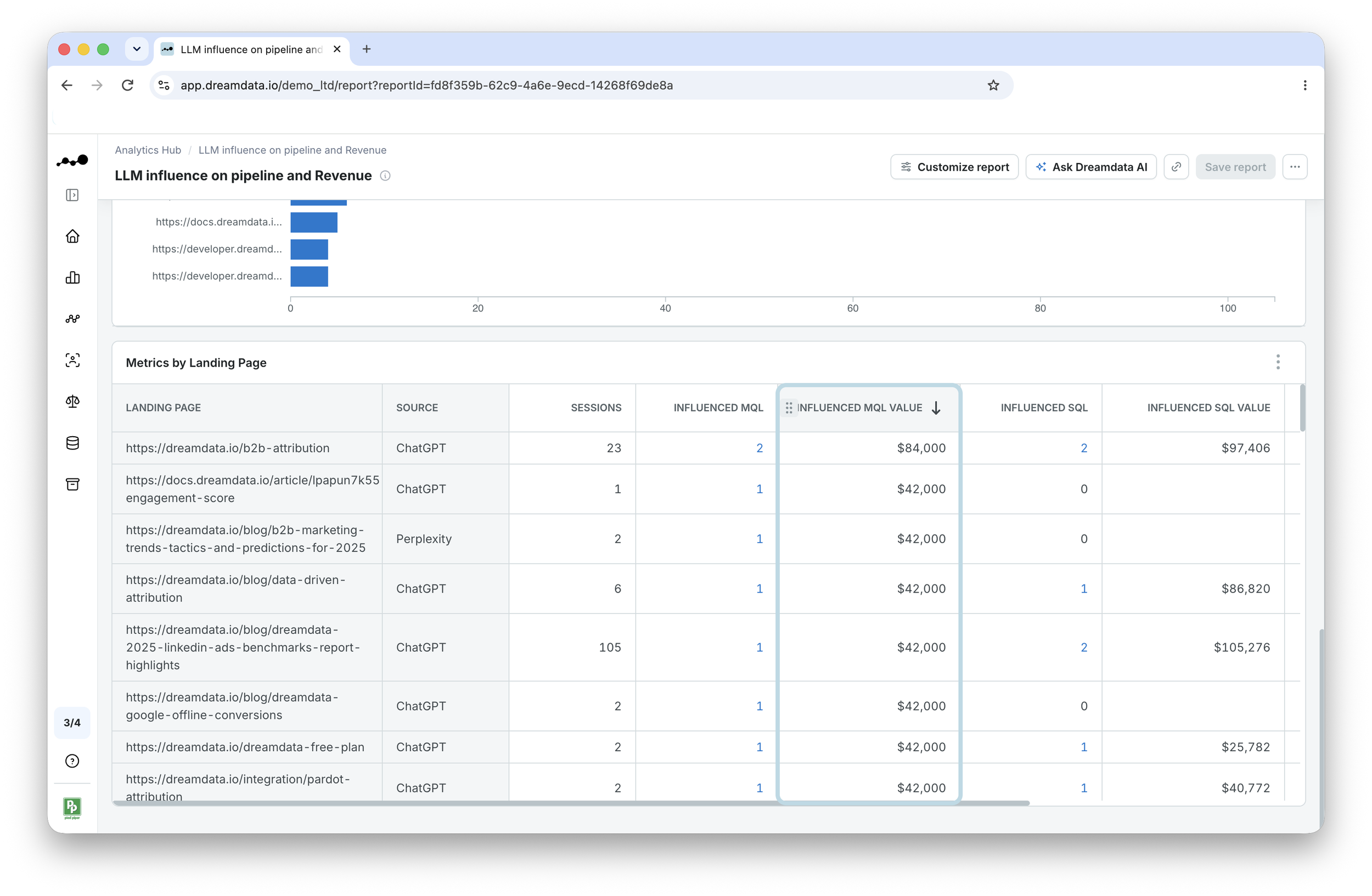
I’ll use the table at the bottom of the report, which shows every metric per page and LLM platform.
What we should focus on are the content pieces performing the best on pipeline metrics and actual value, because I know that sessions speak to reach but not actual pipeline or revenue generated.
Examples of relevant metrics include but are not limited to influenced MQLs
and MQL value.
Sort the table by the metric that fits your question: whether it’s sessions, influenced MQLs, NewBiz value, or something else.
In this instance, I’m specifically looking to optimize Influenced MQL value, so that’s what I’ll call out: "If we look at this report from an influenced MQL value perspective, is there anything I should produce more of?".
Our agent has revealed the top three contributing pieces as the attribution explainer page, the B2B Benchmarks reports, and technical documentation, surfaced by either ChatGPT or Perplexity.
This is also reflected in the table, which is now sorted by influenced MQL value.
What this tells me is to prioritize content in those topic areas, because we know that LLMs are picking them up and turning them into a real pipeline.
Step 4: Verify and save the report
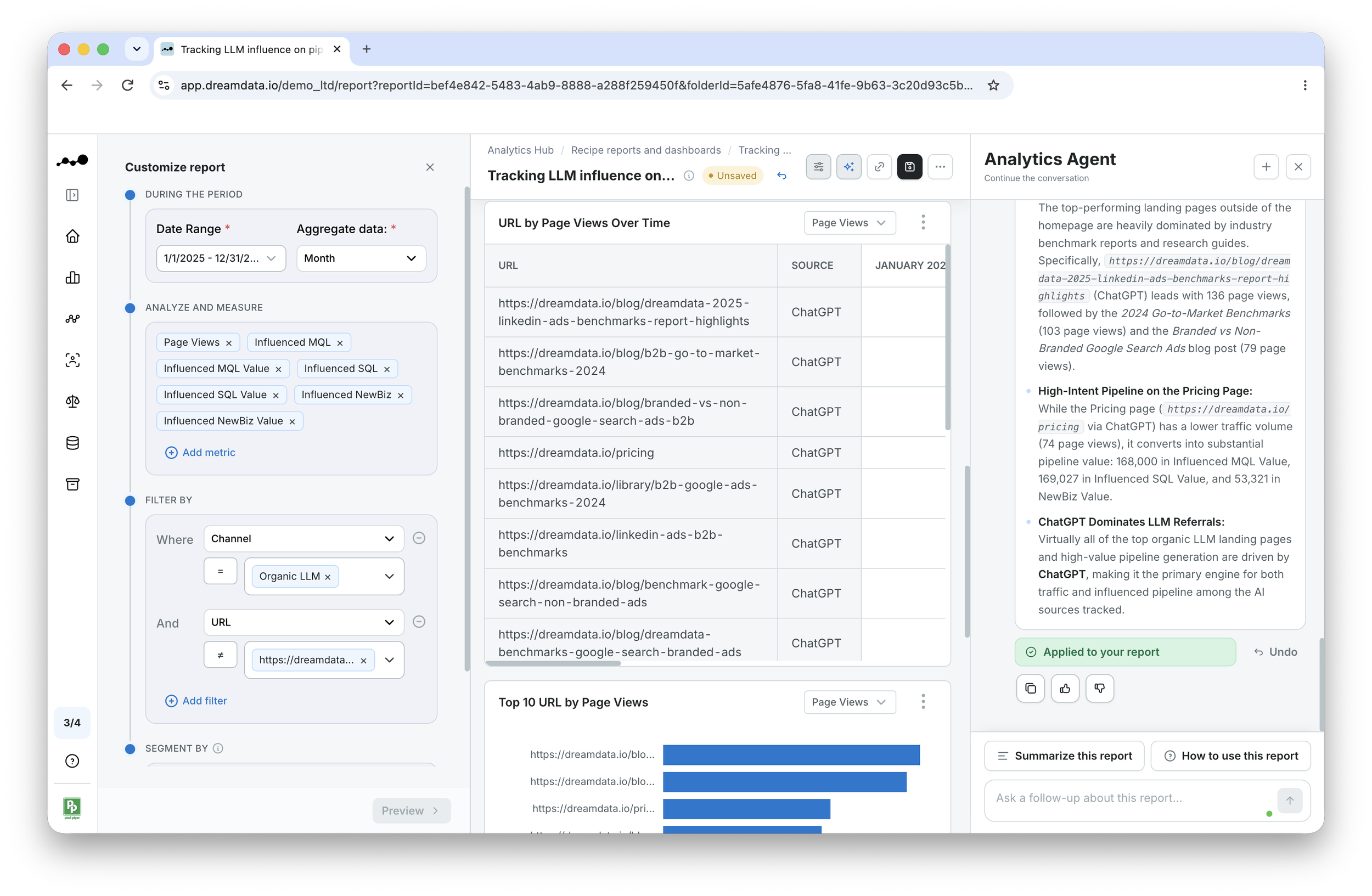
Dreamdata doesn't believe in black boxes, so you can always check what sits behind our agent's answer.
Click ‘Show how this report was configured’ to check, e.g., the channel (Organic LLM), time period, and attribution model applied.
You can always click into a pipeline metric, such as ‘Influenced MQLs,' to see the actual accounts behind the number.
Save the report and give it a clear name so you can come back to it in the future.
Wrap-up
With our Analytics Agent, you can see what content LLMs are surfacing, which AI tools send valuable traffic, and which content is worth producing more of, judged by pipeline and revenue generated rather than sessions.
And you can always verify every number by opening the report configurator to see the metrics, filters, date range, and attribution model it's built on.
You can also run the same analysis using the Dreamdata MCP server, which also runs on Dreamdata’s account-based data model and semantic layer, so your numbers stay the same always.
#dreamdatarecipes